
How to Check GPA on Infinite Campus
To check GPA on Infinite Campus, look under Grades first, then Reports, Documents, or Transcript if those options appear. If GPA is not visible, your district may have disabled it for students, may publish it only on report cards, or may show it only after final grades are posted.
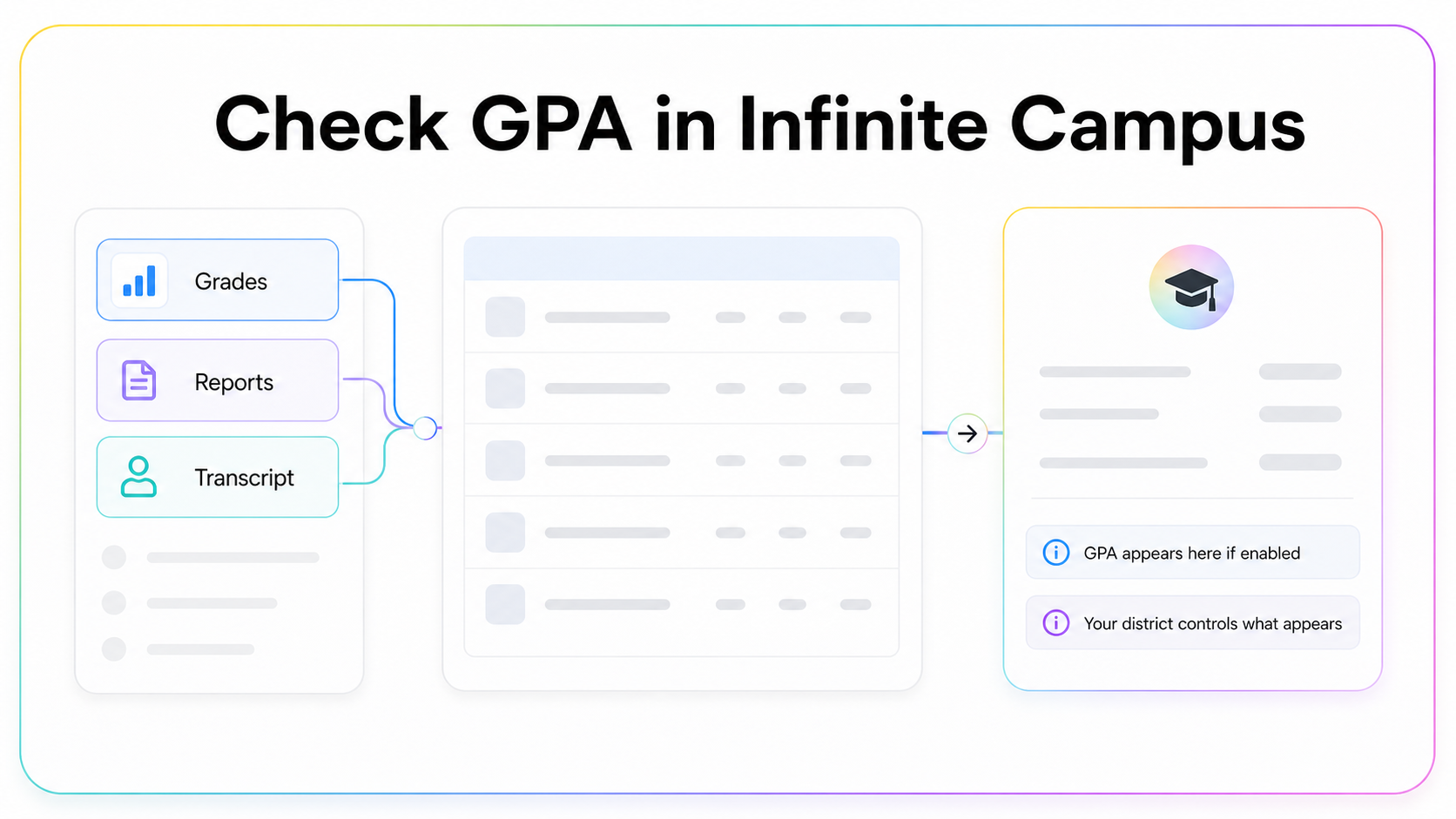
Quick answer
Sign in to Infinite Campus, open Grades, and look for GPA near term grades or grade summary. If you do not see it, check Reports, Documents, or Transcript. Many districts place GPA on a report card or transcript document instead of the main grades screen.
Infinite Campus is district-controlled. That means two students in different districts can see different menus, labels, and reports. If your portal does not show GPA, that does not automatically mean you do not have one. It usually means the district has not made it visible in that view.
Best places to look
| Infinite Campus area | What to check | Why it matters |
|---|---|---|
| Grades | Term grades and grade summary | May show current or posted grades |
| Reports | Report card PDFs | GPA may be printed on finalized reports |
| Documents | Transcript or academic record | Often closer to official GPA |
| Transcript | Course history and cumulative GPA | Best if enabled by your district |
Step-by-step: checking GPA
Start by logging in to the correct Infinite Campus student or parent portal. Open Grades and choose the current school year or term. Look for GPA, cumulative GPA, term GPA, or academic summary. If you only see assignment grades, the GPA may not be shown on that screen.
Next, check Reports or Documents. Districts often publish report cards, progress reports, or transcripts as downloadable documents. If a GPA is official, it is more likely to appear on a finalized report card or transcript than on a live assignment-grade screen.
If your mobile app view is limited, try the web portal on a browser. Some districts make reports easier to see on desktop than in the app.
Why GPA might be missing
Your GPA may be missing because your district hides GPA from students, your grade level does not receive GPA yet, your term grades are not finalized, or your school reports GPA only on official transcripts. Some schools also hide class rank, weighted GPA, or cumulative GPA until a specific release date.
Another common reason: you are looking at current grades, not posted final grades. Assignment averages can move every day. GPA often waits for finalized term grades.
Weighted vs unweighted GPA in Infinite Campus
If Infinite Campus shows GPA, check the label carefully. It may say weighted GPA, unweighted GPA, cumulative GPA, term GPA, or academic GPA. These are not always the same thing.
Weighted GPA may give extra points for Honors, AP, IB, or dual-enrollment courses. Unweighted GPA usually uses the same scale for every class. Cumulative GPA combines multiple terms. Term GPA is only one grading period. If you are using GPA for applications or eligibility, make sure you know which number you are looking at.
How to estimate GPA if Infinite Campus hides it
If you can see final grades and credits, you can estimate GPA. Convert each final letter grade into grade points, multiply by credits, add the quality points, and divide by total credits.
GPA = total quality points / total credits
Use your school's official scale if you can find it. Many schools use A = 4.0, B = 3.0, C = 2.0, D = 1.0, F = 0.0 for unweighted GPA, but plus-minus grades, weighted courses, and district policies can change the result.
When to ask your counselor
Ask your counselor or registrar if you need the number for college applications, scholarships, athletics, graduation requirements, or a program cutoff. A calculator estimate is useful for planning, but the official GPA is the one your school certifies.
Also ask if you see two GPAs and are not sure which one matters. Schools often track several numbers: weighted, unweighted, semester, cumulative, academic, and sometimes rank GPA.
What if you only see assignments?
If Infinite Campus only shows assignment scores, you probably cannot calculate an official GPA yet. Assignment scores roll up into a course grade, and course grades roll into GPA only when the school posts them according to its grading policy. A missing quiz, a late project, or a category weight can change the course average before final grades are stored.
Use assignment grades to understand where you stand, but use posted term grades for GPA estimates. If a course has categories like tests, homework, labs, and finals, the visible average may depend on teacher settings. That is another reason a live portal number is useful for planning but not always official.
Checklist before using the GPA
Before you use a GPA from Infinite Campus, check the label. Is it weighted or unweighted? Is it term or cumulative? Is it from a report card, transcript, or live grade screen? Is it for all classes or only academic classes? Those labels matter more than the number by itself.
If the label is unclear, treat the number as a clue, not the final answer. Your counselor can tell you which GPA appears on transcripts, which one colleges see, and whether your district calculates class rank from a separate GPA field.
Bottom line
In Infinite Campus, check Grades first, then Reports, Documents, or Transcript. If GPA is not there, it is probably hidden or not finalized. Estimate it with your final grades and credits, but confirm the official number through your school when it matters.

Written by ShaheryarFounder, KnowMyGPA. I build these guides for students who need a clear answer, a correct calculator, and a real next step without digging through policy pages.
Estimate the GPA Infinite Campus does not show
Use your visible final grades and credits to calculate a planning estimate.
Use the GPA Calculator